How Allnuts, a specialist in nuts, seeds and dried fruit, centralized and automated its complete labeling process with a seamless connection between Microsoft Dynamics Navision and Loftware NiceLabel PowerForms Suite.
The challenge: from separate printers to one central labeling process
Allnuts first approached Giesbus for technical maintenance on two Novexx ALX 924 Print & Apply systems. The focus soon shifted to a bigger challenge: simplifying and centralizing the entire labeling process.
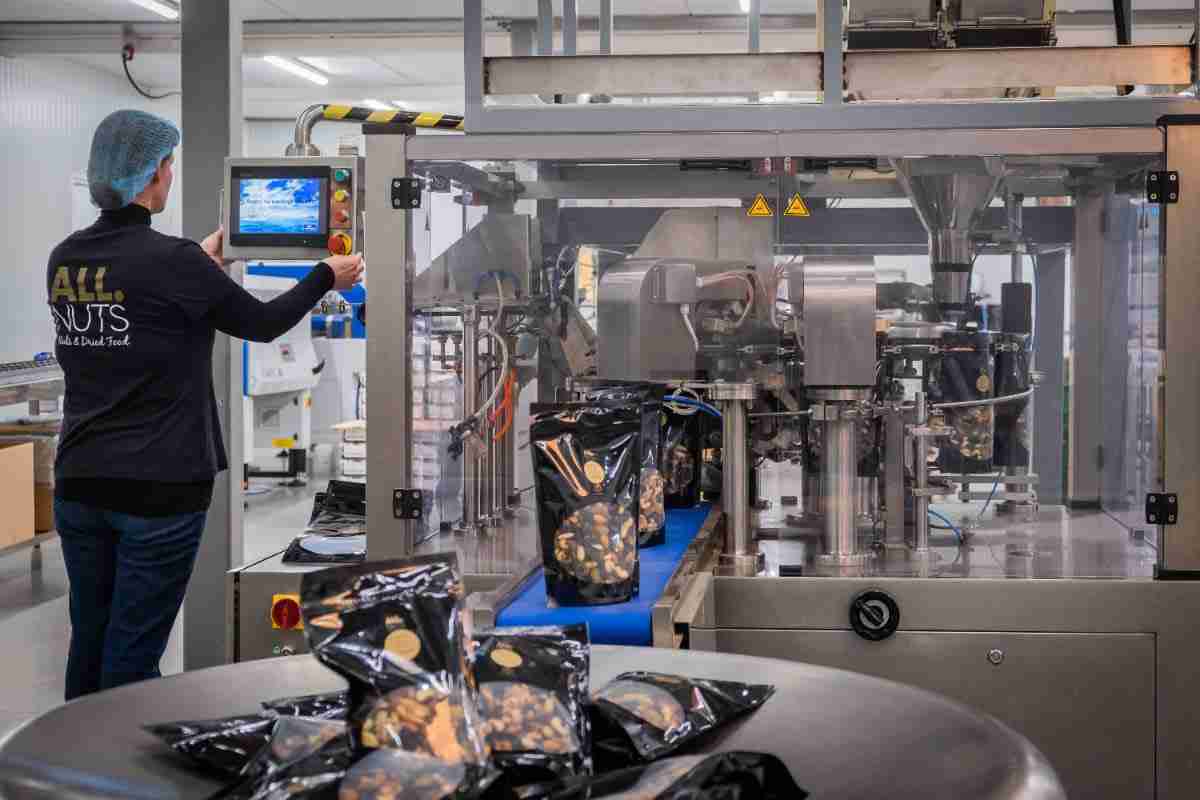
Allnuts worked with separate print technologies that each required their own workflow. Operators had to run several systems at the same time, product information was kept in different places, and the risk of differences between website, ERP and label was real. For a food producer that is not an option: traceability and correct product information are required by law.
The solution: Navision and Loftware as a single source of truth
After a thorough inventory, a seamless connection was built between Microsoft Dynamics Navision and Loftware NiceLabel. This created a single source of truth: the product information on the website is exactly the same as the data on the labels. Error-prone manual transfer is a thing of the past.
The implementation of the Loftware NiceLabel PowerForms Suite forms the central control. Four print technologies are driven at the same time from one environment:
- Thermal printers: for industrial shipping and outer case labels.
- Inkjet printers (Citronix): for coding directly on the primary packaging.
- Color printers: for product labels with logo, color areas and images.
- TTO (thermal transfer overprint): for printing directly on packaging film during sealing.
Automation at goods receipt and in production
As soon as goods are received in Navision, the software automatically triggers Loftware NiceLabel Automation. The right receiving labels come straight out of the printer: traceability from minute one, without an operator having to start anything by hand.
During production, the Novexx ALX systems apply outer case labels inline, directly after the products have been sealed. No intermediate steps, no waiting time, and no separate labels that have to be stuck on later.
The 'rectangle' solution: one click, three technologies
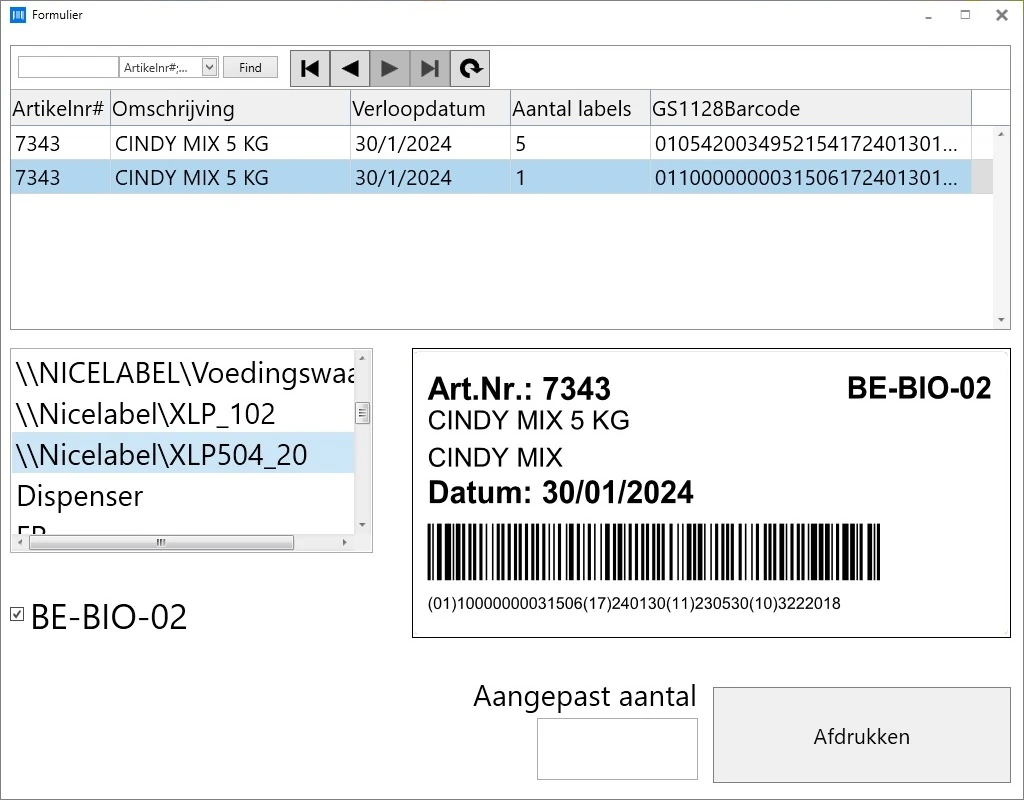
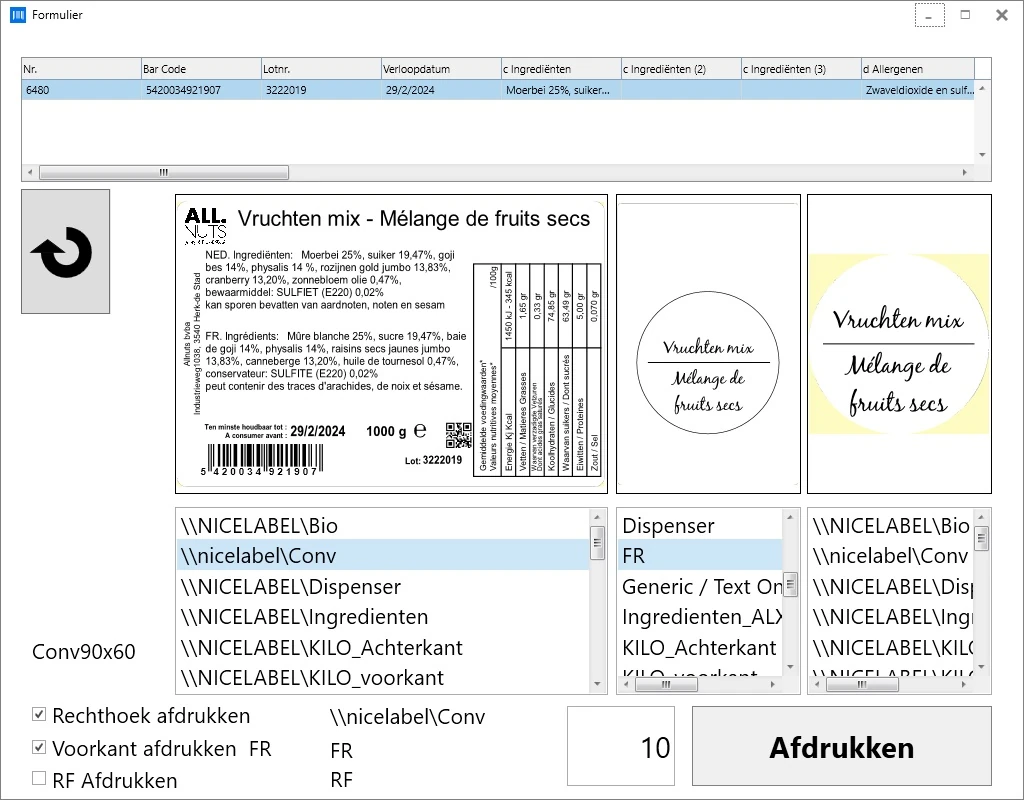
A unique part of this project is the so-called rectangle solution. With one press of a button, an operator drives three different processes at the same time:
- A Novexx Solutions XLP 504 prints a thermal rectangular label.
- A Citronix inkjet printer prints data directly on the primary packaging.
- A second XLP machine prepares the label for the outer packaging.
Flexibility is maximal: through the custom interface, operators can change the output per printer or temporarily switch off specific lines, without needing IT staff or an administrator.
The result: fewer errors, faster throughput, one clear process
The combination of the Navision connection, NiceLabel PowerForms and the custom interface gives Allnuts three concrete benefits:
- One truth for all channels: product information on the website, in the ERP and on the label is always identical, with no risk of differences or outdated data.
- Fewer manual actions: receiving labels, outer case labels and primary packaging are printed automatically based on Navision events.
- Operator-friendly control: the custom interface lets operators drive several print technologies with one click, with the option to deviate per line when needed.
Frequently asked questions about Navision and Loftware integration
What is a single source of truth in a labeling process?
A single source of truth means there is one central source where all product information is managed; at Allnuts that is Microsoft Dynamics Navision. Website, ERP, labels and outer case labels take their data from that same source. This prevents differences between channels and makes updates easy: one change in Navision is automatically correct everywhere.
What does Loftware NiceLabel Automation do?
NiceLabel Automation is the engine that starts label print jobs automatically based on events or database changes. At Allnuts, a new goods receipt posting in Navision immediately triggers printing of the right receiving label, without an operator having to do anything. The software supports SQL triggers, file watchers and REST connections, among others.
Can I drive several print technologies from one interface?
Yes. Loftware NiceLabel PowerForms Suite drives thermal printers, inkjet coders, color printers and TTO systems from one central environment. At Allnuts this even happens simultaneously through a custom interface (the 'rectangle solution'), where one button press drives three print processes. Giesbus sets up this interface entirely to fit your production.
Read these cases too
- M. Thoolen Flowerbulbs: flower bulb export with NiceLabel PowerForms and TTO printing.
- Brové Plastics: injection-molded products with PowerForms and EAN-13 barcodes.
- Eurofast Group: Microsoft Dynamics NAV integration with Loftware Cloud Business.
Are you looking for a partner who turns complex printing and labeling questions into a simple, workable process? Contact Giesbus for an on-site inventory.
 Vrieswijk 27
 +31 72 533 2998

 Chamber of Commerce 86756850
 Loftware Cloud Solutions Expert