In logistics and distribution, every pallet and every shipment has to be labeled right the first time. Retail distribution centers require GS1-compliant SSCC labels, carriers have their own shipping labels, and in a recall you have to know immediately which batch went to which customer. Giesbus connects Loftware to your ERP and shipping software, so pallet, product and shipping labels are right automatically.
Where logistics processes get stuck
- SSCC and GS1-128 requirements from distribution centers that want to process every pallet in one scan.
- Manual retyping of batch numbers, best-before dates and destinations on pallet labels.
- Separate systems: the ERP, the shipping software and the label software are not connected.
- Manual printer selection per order or per location, with waiting time between scanning, printing and shipping.
- Traceability: in a recall it has to be clear immediately which batch was shipped where.
How Giesbus solves this
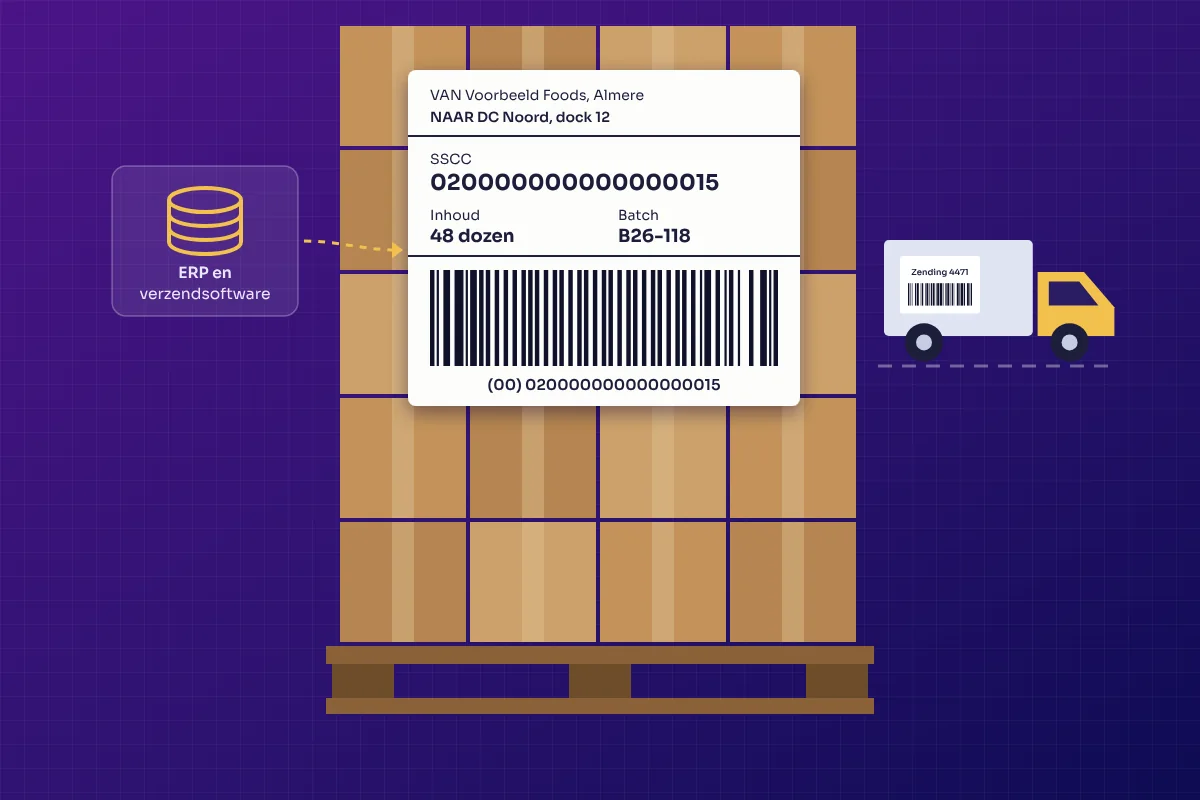
The data comes straight from your ERP: as soon as a pallet or order is ready for shipment, the system automatically starts the right print job. Loftware creates the GS1-128 barcode with SSCC, batch and best-before date and sends the label to the right printer at the right location. With Loftware Automation, labels are started from events in your ERP, and shipping software such as Transsmart delivers the carrier's shipping labels in the same process.
For our customers we connected Dynamics 365 Business Central, Oracle NetSuite and Transsmart, among others. Read which route fits your system on the page ERP integration.
In practice
Edex Food
Food importer supplying major Benelux retailers. Dynamics 365 Business Central creates the SSCC, Loftware Cloud Business prints the GS1 pallet label with batch and best-before date, without retyping.
TEGO
International distribution network for window films. Oracle NetSuite and Transsmart connected through Loftware Cloud Business: one scan of an order prints the product labels and the shipping label on the same printer.
Norah
Fashion brand with stores and a webshop and a collection that is renewed every week. Loftware Cloud Essentials with an ERP connection: label changes are immediately available at all locations.
Read more
- Connecting label software to your ERP
- Connecting Loftware to Business Central
- Labeling in industry and manufacturing
Frequently asked questions about labeling in logistics and distribution
What is an SSCC label?
SSCC stands for Serial Shipping Container Code: an internationally standardized 18-digit number that uniquely identifies a pallet or other transport unit. Distribution centers scan the label and get all the data of the pallet at once.
Can our ERP create the SSCC and Loftware print the label?
Yes. At Edex Food, Dynamics 365 Business Central creates the SSCC as soon as a pallet is ready. Batch numbers, best-before dates and destination go directly to Loftware Cloud Business, which prints the GS1-128 label.
Can the carrier's shipping labels be part of the same process?
Yes. At TEGO, Oracle NetSuite, Transsmart and Loftware are connected. One scan of an order prints both the product labels and the Transsmart shipping label on the same printer.
How does the system know which printer should print the label?
Printers are linked to locations. Based on the order data, the label goes to the right printer automatically, without manual printer selection.
 Vrieswijk 27
 +31 72 533 2998

 Chamber of Commerce 86756850

 Loftware Cloud Solutions Expert