Is your organization still using an on-premise NiceLabel LMS environment with Control Center? Then the move to Loftware Cloud is easier than you might think. Below we answer the most frequently asked questions about an LMS to Loftware Cloud migration, from the reason to switch to what happens to your existing data.
Why consider an LMS to Loftware Cloud migration?
An on-premise LMS environment requires your own servers, updates and management. Loftware Cloud takes that work off your hands: you manage your label environment through the browser, without your own servers, and automatically benefit from new functionality. The underlying label format also stays the same, since Loftware Cloud uses the same technology as NiceLabel LMS. Want to know more about the platform itself? See the official Loftware Cloud product page.
How does an LMS to Loftware Cloud migration work?
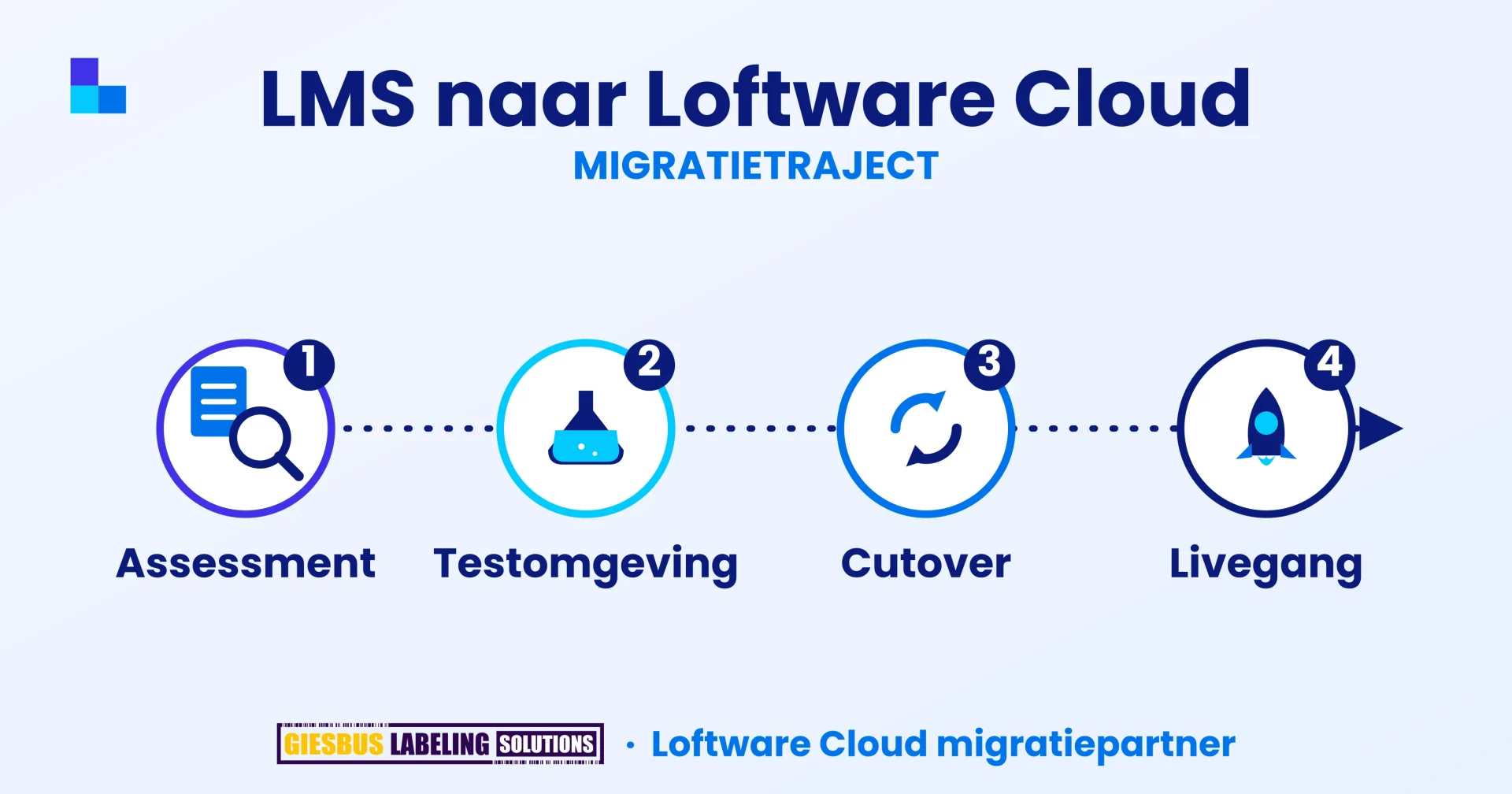
The migration takes four steps. First, we map your current environment: sites, users, label templates, workflows, printers and connections. We then set up a test environment in Loftware Cloud, where documents and label templates are transferred automatically with the official migration tool; items such as user roles and printer connections are set up again manually. You then test the new environment yourself, with your own printers and processes. Only after your approval do we plan the final cutover and go-live, with your old LMS environment remaining available read-only for a period as a fallback.
What happens to my existing data during the migration?
That differs per part of your environment:
- Documents, label templates and images: transferred automatically with the official migration tool
- Users, roles and rights: set up again manually, in consultation with you
- Workflows and web applications: rebuilt manually based on your current setup
- Printers and drivers: validated and reconfigured where necessary
- Print and audit history: stays in your existing LMS environment; it is not transferred
Do I need to redesign my labels after the migration?
No. NiceLabel LMS and Loftware Cloud use the same label format, so no label conversion is needed. We do check that all labels print correctly on your printers.
Is my print and audit history preserved?
Your historical print and audit data stays in your existing LMS environment; it is not automatically transferred to Loftware Cloud. If you want to keep historical data, we discuss the best approach in advance.
Can I go back if something goes wrong during the move?
Yes. Your current LMS environment remains available read-only for an agreed period after go-live, so you can always fall back on the old situation.
How long does a migration from LMS to Loftware Cloud take?
That depends on the number of sites, users, workflows and connections in your environment. After the assessment, we give you a concrete schedule.
Why Giesbus for your LMS to Loftware Cloud migration?
As a Certified Loftware Cloud Solutions Expert (verify at lcse.giesbus.nl), we know both the old and the new environment inside out. With more than 20 years of experience and more than 50 organizations supported, the same specialist guides you personally from assessment to go-live, including a test environment, so there are no surprises during the production move.
Would you like to know what an LMS to Loftware Cloud migration means for your organization? We map your situation with no obligation.
Contact us for advice, no obligation Vrieswijk 27
 +31 72 533 2998

 Chamber of Commerce 86756850
 Loftware Cloud Solutions Expert